An office can be highly effective for individual work yet awkward when a team needs to learn a process together. Rows of permanent desks carry monitors, storage, and personal equipment; moving them for a two-hour workshop is rarely practical. Flip-top training tables offer a separate, temporary work surface that can appear for instruction or group activity and be stored afterward. Their value depends on where that temporary zone fits within the everyday office.
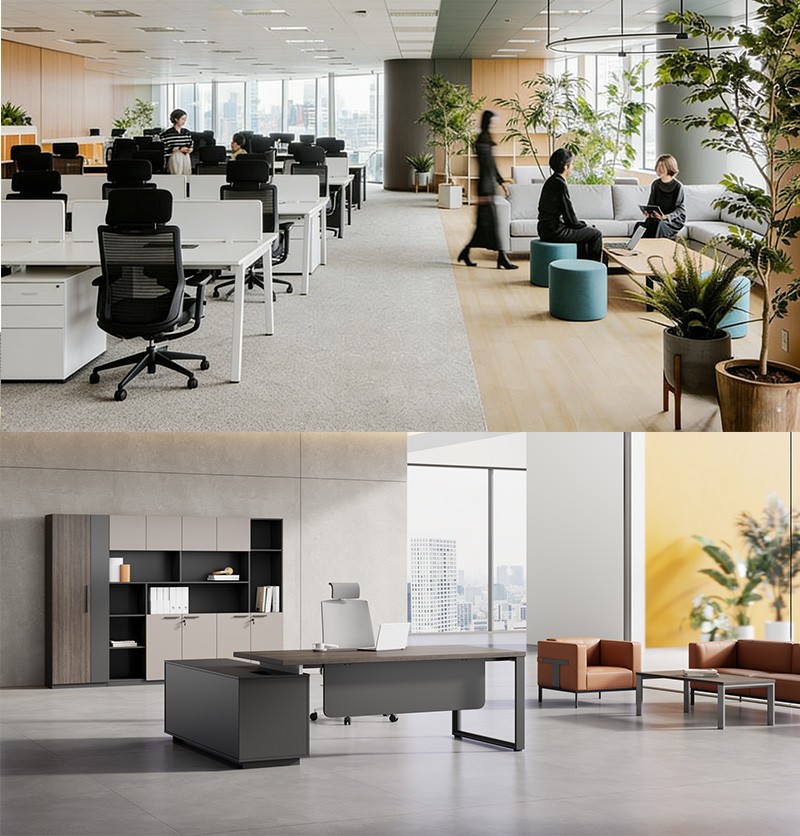
Modern office workstations are planned around repeated daily tasks. The training zone has a different rhythm: people gather, share materials, change partners, and leave. Combining the two requires a floor plan that protects focused work while allowing a group to assemble without blocking desks or circulation. The choice is about complementary furniture roles, not converting every desk into a classroom table.
Protect the Permanent Work Pattern
An office workstation desk needs a stable position for a screen, keyboard, documents, and any private storage. Cabling and personal setup make frequent relocation inconvenient. A training table can take on the short-term task instead, preserving the workstation as the employee’s regular base. This distinction matters when a team must return to work after a session.
Desk arrangement influences where the temporary zone can go. A 180-degree bench places users in a line; a 120-degree arrangement can create a more open grouping; a 90-degree desk uses a corner. Each configuration produces different edges and gaps around it. A clear area beside one group may fit mobile tables, while an apparently open passage between desk banks may need to remain an access route.
Leadcom Seating‘s workstation planning guidance describes 90-, 120-, and 180-degree arrangements and groups of two, four, six, or more users. It starts with exact room measurements and actual work patterns. Those steps can locate a training area without assuming that every available patch of floor is free for tables. The occupied desk footprint and chair pullback have to be shown first.
Storage is part of that occupied footprint. Built-in cabinets create a stable boundary, whereas movable storage can shift when the office changes. Neither arrangement automatically provides a safe place for folded tables. The plan should distinguish a permanent storage zone from a short-term holding position during a workshop.
Give the Group a Temporary Shared Surface
A flip-top table changes the shape of a training session. Several compact tops can face a presenter, form small clusters, or align for a longer shared task. The same office workstation desk remains ready nearby for individual follow-up work. Collaboration becomes easier when participants can see one another and place shared documents within reach, rather than trying to gather around a monitor at one person’s desk.
Training tables also need a defined changeover path. Staff may move them from storage before a session and return them afterward. The open working arrangement must leave access to occupied desks, meeting rooms, and exits; the folded route must be clear of cords and furniture corners. A tabletop that stores compactly still requires room to rotate and maneuver during the reset.
An onboarding session illustrates the difference. New employees can sit at temporary tables for a shared demonstration, then break into small groups around printed instructions. Their desks need not be cleared for class. Afterward, the tables return to storage, leaving the workstation arrangement ready for use.
Leadcom Seating’s guidance distinguishes open, semi-enclosed, and more private workstation settings. That distinction helps position the temporary group. A team exercise involving loud discussion belongs away from concentrated work where possible, while a quiet demonstration may fit near an open desk cluster. Screens and panels can help define zones, but their height and placement should not interrupt essential sightlines or movement.
Technology requires a separate plan for each furniture role. A permanent workstation may have fixed power and data connections. A mobile training table may need a nearby outlet or a safely routed temporary supply. Adding tables without mapping cables can turn a collaborative zone into a trip hazard. Device use, projection, and charging should be considered with the table positions, not added after setup.
Return the Office to Its Everyday Layout
The collaboration benefit is conditional on the reset. If folded tables remain in an aisle or staff must disassemble workstation equipment to clear space, the temporary zone has not been planned fully. A trial can time the setup, test the teaching layout with chairs occupied, and check the route back to storage. The same trial shows whether people at each office workstation desk can continue working.
Leadcom Seating offers all-steel and aluminum-and-steel workstation frames. Its four pneumatic height-adjustable workstation models feature lockable castors, while the other workstation models described in the purchasing guide are stationary. Those choices serve different degrees of permanence. A mobile desk component may support a modest adjustment to the office layout, while flip-top tables handle the larger, short-lived change in shared working surface.
The strongest arrangement gives modern office workstations a dependable daily footprint and assigns temporary training its own measured footprint. In that arrangement, new procedures can be taught around shared materials while the equipment at each assigned desk stays available for individual follow-up after the group work session ends.